Soul Labs
Instructions for Completing Soul Labs Tasks and Activities
Complete tasks to earn Soul Labs airdrops and rewards. Follow the step-by-step instructions and track task updates and status to become one of the potential recipients of the Soul Labs airdrop.
Soul Labshas launched its testnet and confirmed an airdrop. We can operate on multiple test networks (Ethereum, Base, Arbitrum, Optimism, and Avalanche) and earn Seeds (points). At the end of the testnet phase, all accumulated Seeds will be converted into the native token of the Soul ecosystem, $SO, and distributed at the TGE. As of writing this guide, fewer than 1,500 users are participating in this event, so we can be early adopters.
1. Visit the website and connect your wallet:
2. Open the “Seeds” tab and start completing tasks:
All the test tokens you need are available in the second task. You don’t need to claim them separately from a faucet.
2.1 For the supply/borrow tasks, open the “Protocol” tab, select “Supply/Borrow,” then choose a token in the network you need and supply/borrow your chosen token:
2.2 For the collateral and withdrawal tasks, click the dashboard, select the network token you need from the previously deposited tokens, add or remove collateral (based on the task), and confirm the transaction:
2.3 For the repayment tasks, click the dashboard, select the network token you need from the previously borrowed tokens, repay, and confirm the transaction:
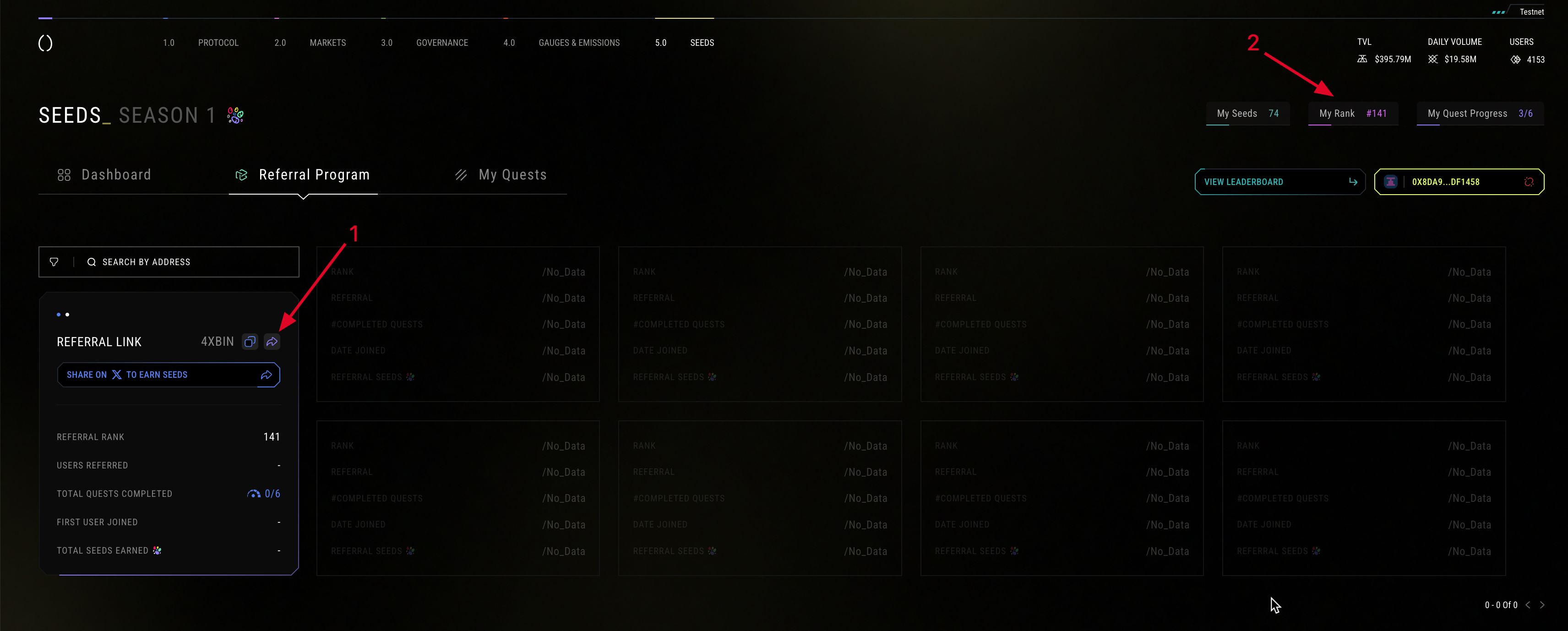
3. Invite friends and track your position on the leaderboard: